SchemaList
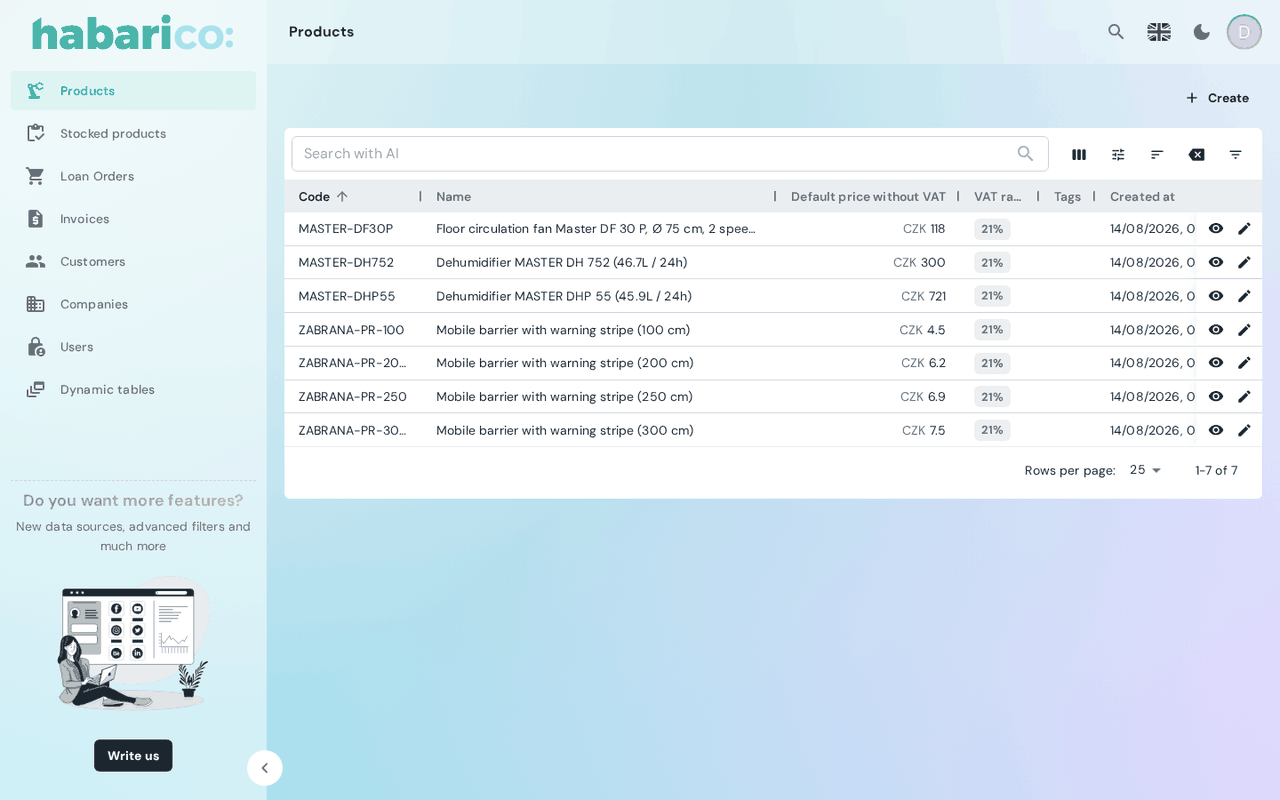
Renders the list view of a resource: columns, filters, sorting, pagination and row actions, all from the view schema.
A resource gets this view automatically. Mount it explicitly only to pass one of the slots below or to wrap the generated content in your own.
Example
<SchemaResource
  name="eshop/product"
  list={
    <SchemaList listActions={<><SchemaListActions /><ImportButton /></>}>
      <ProductListContent />
    </SchemaList>
  }
/>
Props
| Name | Type | Default | Description |
|---|---|---|---|
name | string | 'list' | Which list view of the schema to render, when the resource has several |
children | ReactNode | generated content | Replaces the generated datagrid |
title | ReactNode | <SchemaViewTitle /> | Card header; null removes it |
toolbarActions | ReactNode | <SchemaViewToolbarActions /> | Buttons next to the title; null removes them |
listActions | ReactNode | <SchemaListActions /> | Utility row — column selector, resets, filter toggle |
datagridButtons | ReactNode | — | Extra buttons rendered in the datagrid's row action column |
The slots are described in detail on View slots.
What the schema drives
| Schema | Effect |
|---|---|
ListViewParameters.boxes | Which columns appear and in what order |
ListViewParameters.filters | The offered filters; each one with isAlwaysOn goes into the always-visible toolbar row, the rest into the filter drawer |
ListViewParameters.extraFilters | Filters applied on top of the user's, and not shown |
ListViewParameters.toolbarActions | Buttons next to the title |
ListViewParameters.listActions | Utility actions next to the filter bar |
ListViewParameters.rowActions | Buttons in the row action column |
ListViewParameters.defaultSorting / sortable | Initial sort, and drag-and-drop ordering |
singleClickAction / doubleClickAction | What clicking a row does; falls back to defaultRowAction on SchemaAdmin |
See also
- Datagrid components — the table itself
- List view schema generators — declaring the list on the Python side
- List view — the same on the Ruby side
- useExporter — the backend export behind the export button