SchemaCreate
Renders the create form of a resource from its schema, and submits it to the create endpoint.
A resource gets this view automatically. Mount it explicitly to intercept the submit, add form actions, or replace the generated form.
Example
<SchemaResource
  name="eshop/product"
  create={
    <SchemaCreate
      params={{source: 'catalog-import'}}
      onPostSubmit={() => notify('Product created')}
    />
  }
/>
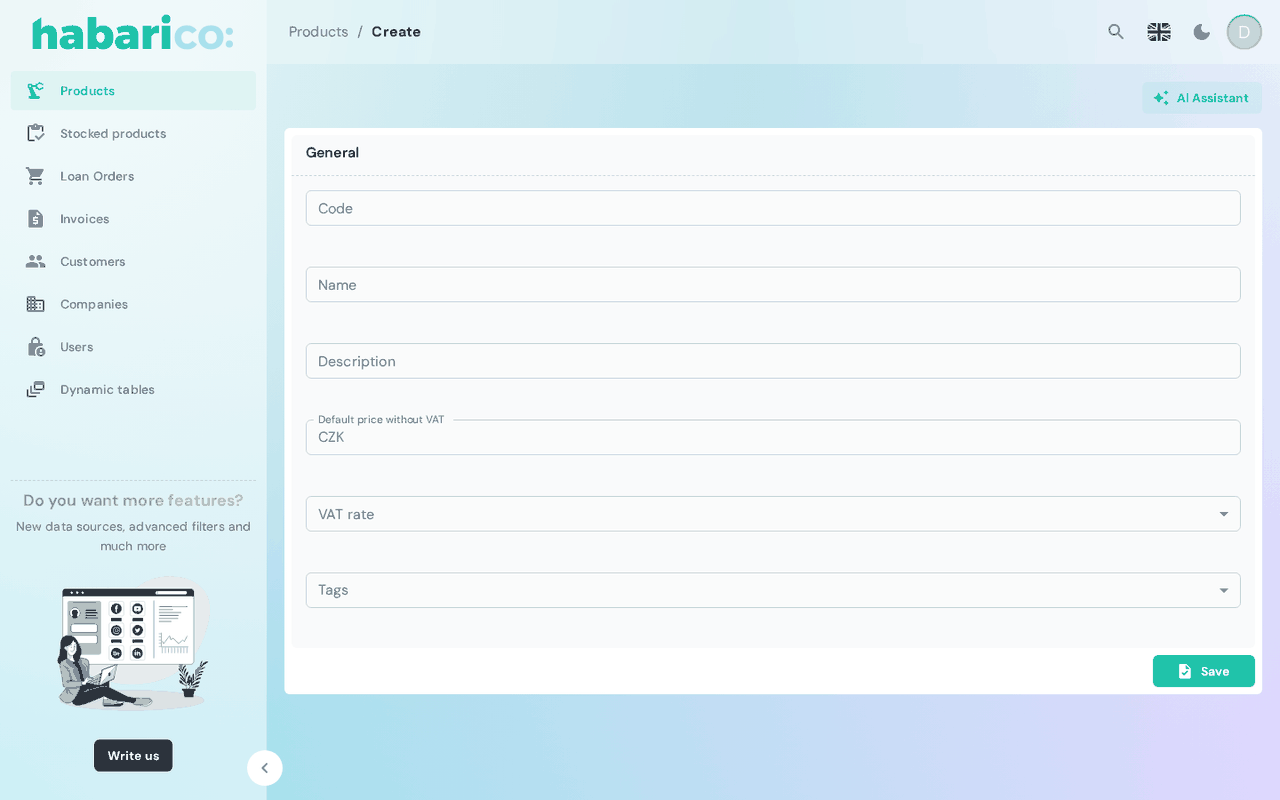
Props
On top of these it accepts React Admin's CreateProps except children.
| Name | Type | Default | Description |
|---|---|---|---|
name | string | 'create' | Which create view of the schema to render |
children | ReactNode | generated form | Replaces the generated inputs |
onSubmit | SubmitHandler<FieldValues> | default create call | Takes over submitting entirely |
onPostSubmit | () => void | — | Runs after a successful save |
params | Record<string, string> | — | Extra query parameters sent with the request |
title | ReactNode | <SchemaViewTitle /> | Card header |
toolbarActions | ReactNode | <SchemaViewToolbarActions /> | Buttons next to the title |
formActions | ReactNode | <SchemaFormActions /> | Buttons in the form toolbar; defaults to a save button |
The slots are described in detail on View slots.
onSubmit replaces the save — the record is not created unless your handler does it. To only react
to a save, use onPostSubmit.
Where it goes afterwards
The redirect follows afterSave in the view schema: list, show, prev or stay. A
triggerAction returned with the created record that redirects in the same tab goes there instead
(see action results). With
navigationGuard enabled on SchemaAdmin, leaving a dirty
form asks for confirmation first.
See also
- SchemaEdit — the same form for an existing record
- Form schema generators — declaring the form on the Python side
- Create/edit view boxes — the same on the Ruby side